Documentation Style
This section focuses on the best practise of usage of various components (code blocks, notes, diagrams, ...) used within the documentation.
Note
The section is work in progress, please, be patient.
Metadata
Every page might have the metadata modyfing how page is rendered or what information the page has. For example, it is possible to simulate page layouts or store authors.
Page Layouts
The e‑INFRA CZ recognizes three types of page layout:
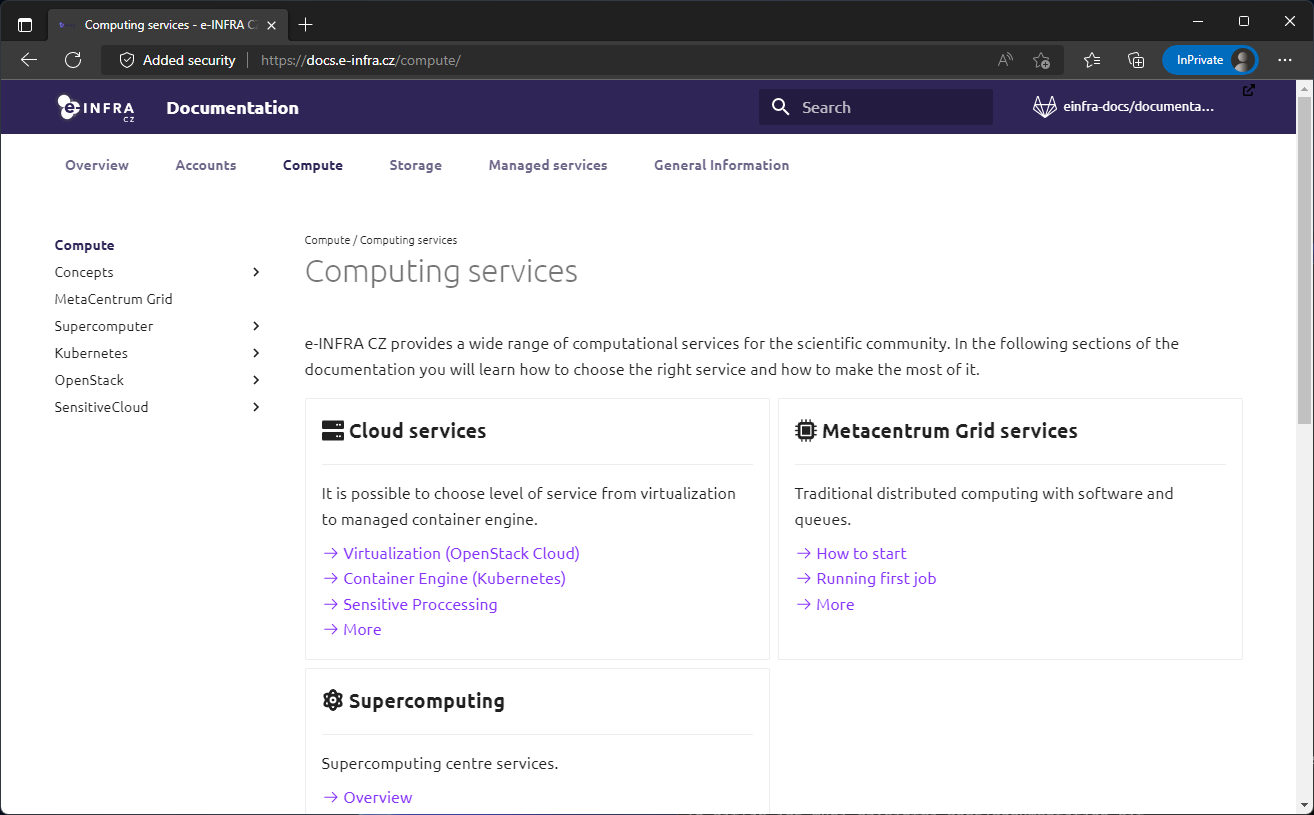 SignPost's role is to introduce the depth of each topic. It should easily categorize main structure of the topic.
SignPost's primary feature is that it has removed Table of concents on the right side.
SignPost's role is to introduce the depth of each topic. It should easily categorize main structure of the topic.
SignPost's primary feature is that it has removed Table of concents on the right side.
Usage: Copy this on beggining of each page to hide ToC
---
hide:
  - toc
---

Standard page is default template and it's used for standard documentation pages.

Used only for 'special' ocassions such as home page. It has both navigation menu and table of content hidden, providing wide space for content.
Usage: Copy this on beggining of the page to create overview layout
---
hide:
  - toc
  - nav
---
Authors
If you want to be featured as maintainer of the page use this in metadata:
---
authors
  - <github_username>
  - ...
---
Hiding Breadcrumbs
It is possible to hide breadcrumbs by adding to metadata:
---
hide:
  - breadcrumbs
---