Changing VM Resources
Prerequisites
- Created instance.
Resizing Image
In this guide, we will show you how to change the VM resources by changing flavor.
Before resizing, you should save all your unsaved work and you should also consider making data backup.
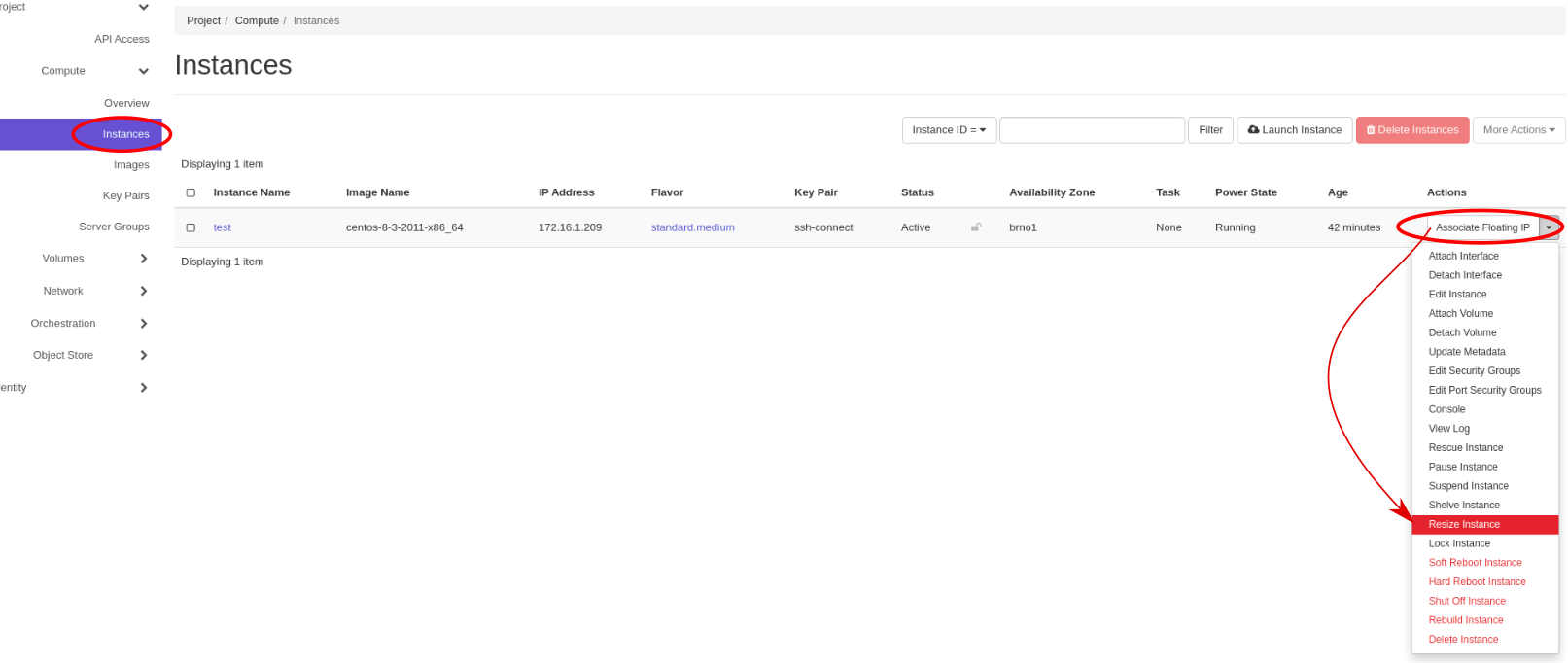
1. In Horizon go to Project > Compute > Instances and select Resize Instance on your instance
Example
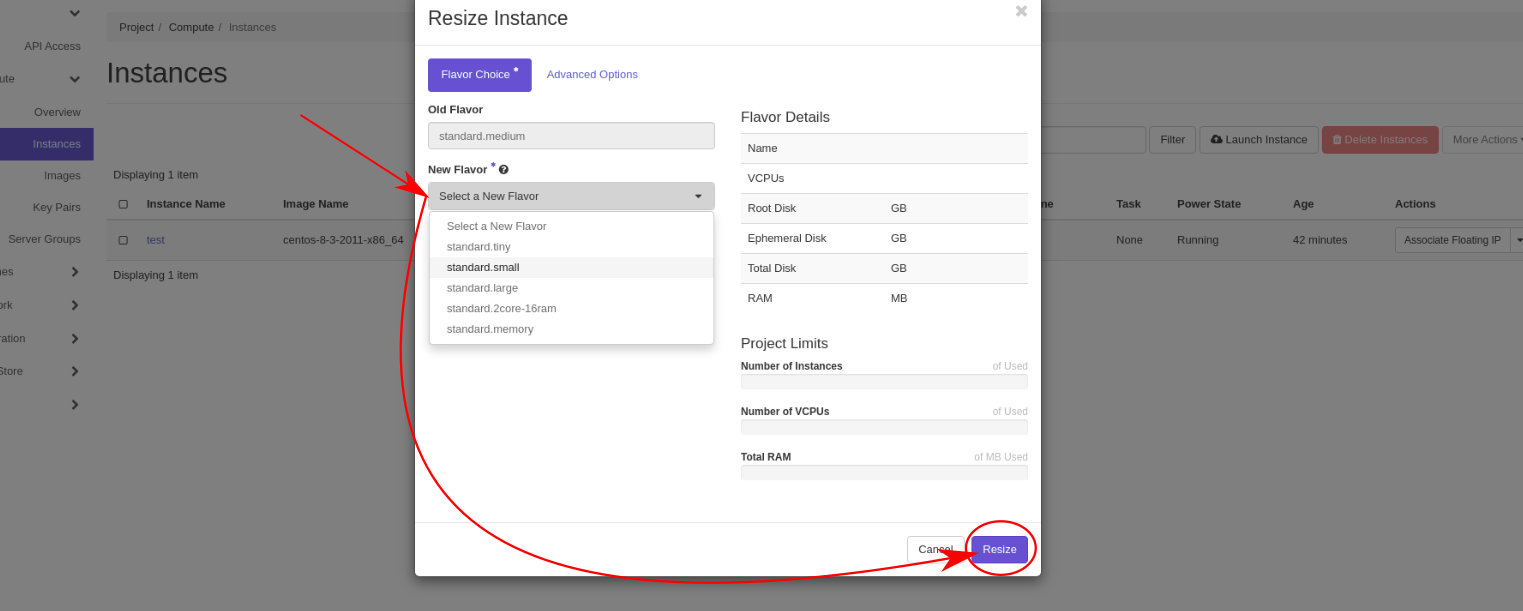
2. Select new flavor and confirm your choice
Example
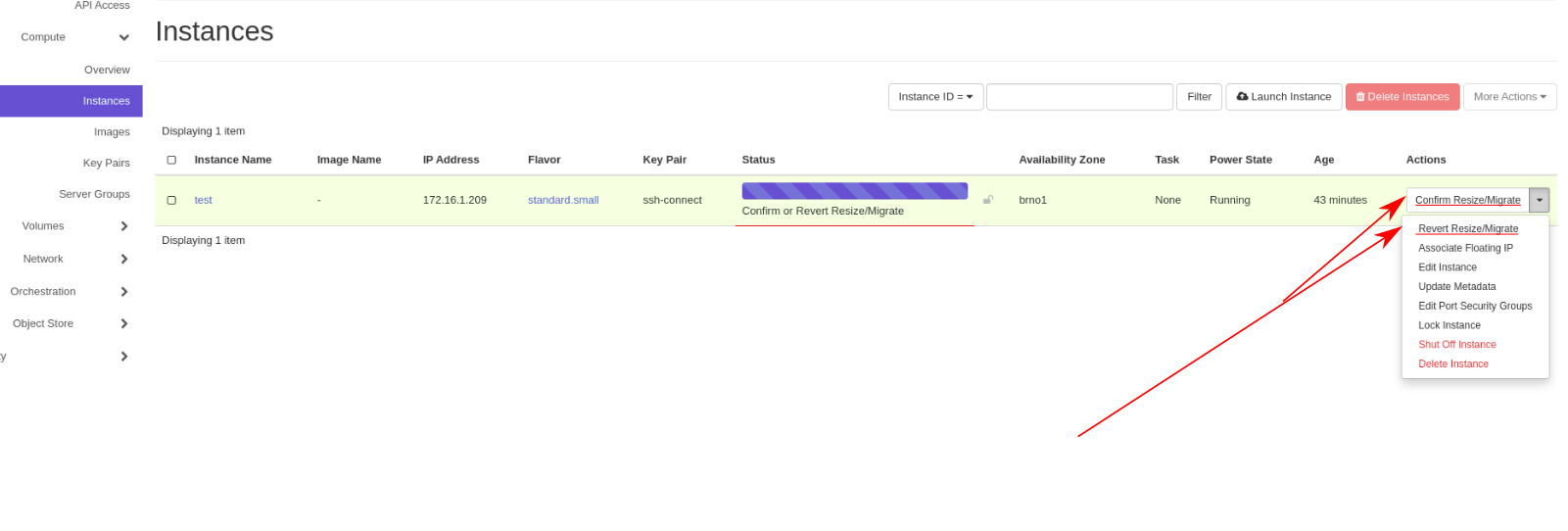
3. Confirm selected changes in the instance menu
Example
Last update:
March 30, 2023